Podcasts

Podcasts are a series of audio or video files which can be accessed and listened to.

The link below is one of a series of podcast devised by the Scottish Agricultural giving farmers technical advise on animal health.

https://www.fwi.co.uk/livestock/sac-podcasts-give-livestovk-health-advice

http://dairyinfo.biz/rearing_healthy_calves_podcasts/

The link above to the dairyinfo.biz, which is a series of podcasts about calf rearing. Although it is Australian the principles of calf rearing are the same.

I hadn’t listened to podcasts before my VLE assignment and I actually found them interesting. But the odd thing about it was that although I listened intently for about a minute or so, I realised my hands and eyes were free to do something else! so even though I was listening to my podcast I could still do something else that didn’t require a high level of concentration; for example accessing Facebook or eBay. I don’t think I could do an activity that required a good degree of concentration because I was concentrating on my podcast.

The podcasts I listened to were quite indepth and I understood what was being discussed. However from a student point of view they may have found the podcast a bit too indepth and may have become bored with listening to them. However, by using Edpuzzle the podcasts can be edited so that only the vital information is saved and the remaining information is blocked out. For full student engagement I would advise that the tutor listens to the podcast initially to assess if the content is suitable for the level of students he is teaching and maybe edit the relevant material.

Clipix

Clipix is an online tool which as described by Wikipedia is an online tool for bookmarking, file sharing and an organisational tool. I found it very useful when compiling my VLE.

http://www.clipix.com/

After downloading into Chrome, a little icon appears on the tool bar on the righthand side. This is your action tool and you click on this when you want to save something.

I would say Clipix is a good aid for learning. It allows the user to save bookmarks and images on a given subject in a designated clipboard which can store up to 20 entries. I think you have to pay a fee if you require more space. This is useful if you wish to study a particular subject; like for example a PGCE assignment where I can store all the relevant bookmarks in one clipboard and access when required.

The Clipix feature also allows me to crop an image and save. This is useful because my original thought on doing this was to take a Print Screen image, open the image in Paintbox and then cut and crop, then save the image and upload into my document. With Clipix , you press the action tool and a crop image is displayed. Using this feature to select what you want to crop, a camera sound is heard and the image is cropped and saved to the clipboard. The image can be downloaded into your document by simple uploading from the Clipix gallery.

A teacher can compile a clipboard of given images and bookmarks and can then allow the students permission to access the materials for their own use; for example to read further about a given subject or to view the specified bookmark and view related bookmarks. This is useful if students are set a task to for example; research an assignment and write an essay.

I found this tool very helpful in compiling my VLE and is a tool I would use in the future.

Youtube

I love Youtube as an educational tool. It offers so much and I can always find what I am looking for; and whats more it is free!

https://www.youtube.com

In my professional practice of catering and agriculture, it offers how- to instructional videos which I can embed in my VLE to give students the insight into how things are done…..for example my VLE is about The Care of the Newborn Calf, so Youtube instructional videos allows me to put a point across visually rather than plain text. As a student myself, sometimes a video explaining a point offers more of an educational understanding than plain text and it offers the student a bit of variety in their learning.

I found Youtube videos very useful in explaining the process of downloading and operating the VLE platforms I have used in my VLE.

For example; I used Wizer.me to insert a quiz but I understood the procedure for doing this by following a Youtube video. I would follow the video and then pause it at a certain point, then I would go to my download and execute the procedures I had been instructed to do; then I would return to the Youtube Wizer.me instructional video and follow the next step and so on. It was an enormous help in aiding me to set up my VLE.

Using Youtube videos with Edpuzzle allows editing of the videos at strategic points which allows assessment questions to be included in the video. This allows for differentiation of learning because students can always return and replay the video to aid a deeper learning.

I discovered that there were some farming videos in Welsh language and if I had time I would have inserted these into my VLE to embed Welsh language into my VLE.

Using Youtube videos as a learning tool offers the students a number of learning styles like for example visual and aural, logical and also offers students social or solitary learning. Students can work in pairs to discuss a video or action the assessment questions or they can work independently and at their own pace.

As a footnote, I must say that I find instructional videos presented by American’s most irritating. A whiny, nasal American accent combined with the fact that the host doesn’t stop talking is most infuriating. I try and find instructional video’s where the presenter is English whom I know will give a concise account of the instruction and not discuss all and sundry.

Edpuzzle

Edpuzzle is a free online tool which allows the user to access online videos to then create interactive videos. Rather than the tutor playing a video then clicking pause to enable students to discuss a certain point or take notes, with Edpuzzle the video can be cropped where you want it, audio voiceover can be inserted, and even open ended and multiple choice questions can be embedded.

It makes the video more interactive for the student and they can control when they want to view the video and answer the questions.

My areas of professional practise is in catering and agriculture, two disciplines which are practical based subjects and can rely on a visual approach to teach. For example, should I wish to demonstrate the process of making a cake, then I able to crop the video at a desired point, I then have the option of including an audio voiceover where I can explain to the students the process, or I can include questions to assess their knowledge.

I find this tool very useful because it makes the lesson visual and interactive. It allows the students to rewatch and able to work at a pace which suits them. Edpuzzle is useful because it can be shared with Google Classroom, which is what I have used as a platform for my VLE.

I used Edpuzzle in my VLE as a teaching aid to emphasize points by using the voiceover feature and by inserting multi choice questions. However, Edpuzzle does offer the option of a flipped classroom. Students can edit videos and include comments about a taught subject and this can be reviewed by the tutor who can then add his own comments or the students video can be played to the class where all the students can comment.

When you open Edpuzzle you can select a video from a number of outlets, for example Youtube and Khan Academy; however the user does have the option of selecting a video that has been edited by someone else as I have done for my brief on Colostrum feeding to calves. The video had been edited and questions inserted prior and I then used this video as part of my course.

By using Edpuzzle for interactive videoing, it does allow differentiation of teaching because students can work through the video at their own pace and rewatch the video over and over.

I like this program and think it works very well as an educational accessory.

The one issue I have with Edpuzzle is that it can be affected by Broadband speed so if like me you live in the sticks then you may find it slow to download once the video is inserted in your Google Classroom VLE.

Webinars

I like webinars and find them an informative aid to learning. I am basing my knowledge on my VLE subject of Care of the Newborn Calf. A webinar is a seminar on the web, so basically you watch or listen as someone gives a lesson on a given subject.

Webinars can be useful as a learning tool because not only do they give information on a given subject but they also cover a variety of learning styles including audio and visual and intrapersonal which is the basis of long distance learning. It also allows for differentiated learning by allowing the user to view the webinar over and over and at their own pace.

By using a webinar with Edpuzzle allows the development of your own webinar where you can insert assessment questions, or audio at strategic points to assess learning. Edpuzzle allows the user to edit a video or podcast so that only important areas can be covered for the class, this then reduces the length of the video which then allows students to concentrate on important areas of the video rather than viewing the whole video.

A problem with Webinars and also Podcasts is that the presenter must speak clearly and in an interesting voice. I find it hard to listen to a podcast if the presenter is hesitant in their speech and have monotone voices.

Padlet


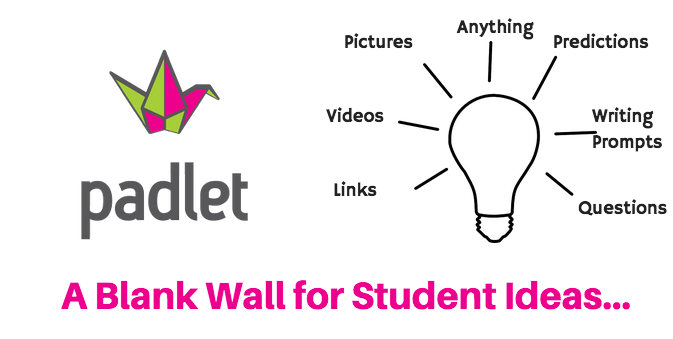
In my VLE I used Padlet as a collective wall where information relating to a particular subject can be addressed by a number of methods. The collective wall allowed me to attach pdf’s, Youtube videos, audio presentations like for example a podcast or webinar all relating to the subject I required. The padlet allowed interaction with students wherby students, after being given permission can post comments, videos or simply share their knowledge and experience which I encouraged them to do. Padlet is described as an online noticeboard and with this in mind it can be used for a number of interactive ways to make a subject interesting, interactive and synchronous and also asynchronous.

I used Padlet as a means of presenting a subject in a different format to the platform I am using which is Google Sites. I also found it easy to insert other learning tools into Padlet simply by dragging over and dropping onto the Padlet wall. I preferred using Google Sites as my VLE platform simply because of the presentation format. I like the linear, structured format that Sites offers compared to a dashboard style of Padlet. It made devising and following the modules of a given subject easier.


Assessment Methods

The assessment tools I used were Google Forms, Wizer.me and Kahoot.

In some instances I only included the games to demonstrate the use of these tools. If time prevailed I would have made more use of these assessment tools by using different features and formats. In Google Forms, there is an array of assessment methods like for example, multiple choice questions, blanked works etc and i could have added a variety of these questions to make assessment interesting and challenging.

Using video clips from Youtube and formatting to include assessment questions made the assessment interesting and interactive. I could have included more on assessment and made better use of the online assessment tools but time was against me.

I liked Wizer.me because of its simplicity to set up.

Google Sites

I used Google Sites as my platform to present my VLE. I had seen VLE’s produced by previous students and the platform that was used was Padlet. I preferred the layout of Google Sites as the presentation is linear and structured, an index column directs people to the next category so that for my VLE it allowed me to present an introduction, a middle bit and a finale.

Google sites is described as a ‘website building platform’. It has site building features that make it easy to construct a website of your own design. A number of features can be added to make the site functionable; for example maps, presentations and spreadsheets. I found it very easy to understand and use, albeit a few minor issues with embedding a pdf but that was soon solved. The site allows the user to insert images and giffs to make the site more interesting and exciting. In my VLE I included Google Slides and Google Forms which are easily embedded and the best feature is that altering a Google Slide or Form is saved and updated automatically. I easily embedded a Padlet wall and again making alterations to that was easily saved. The site allowed me to attach Edpuzzle clips, videos from Youtube and quizzez like Wizer.me

I really like Google Sites for developing websites because it is so easy to use and allows you to do so much.